
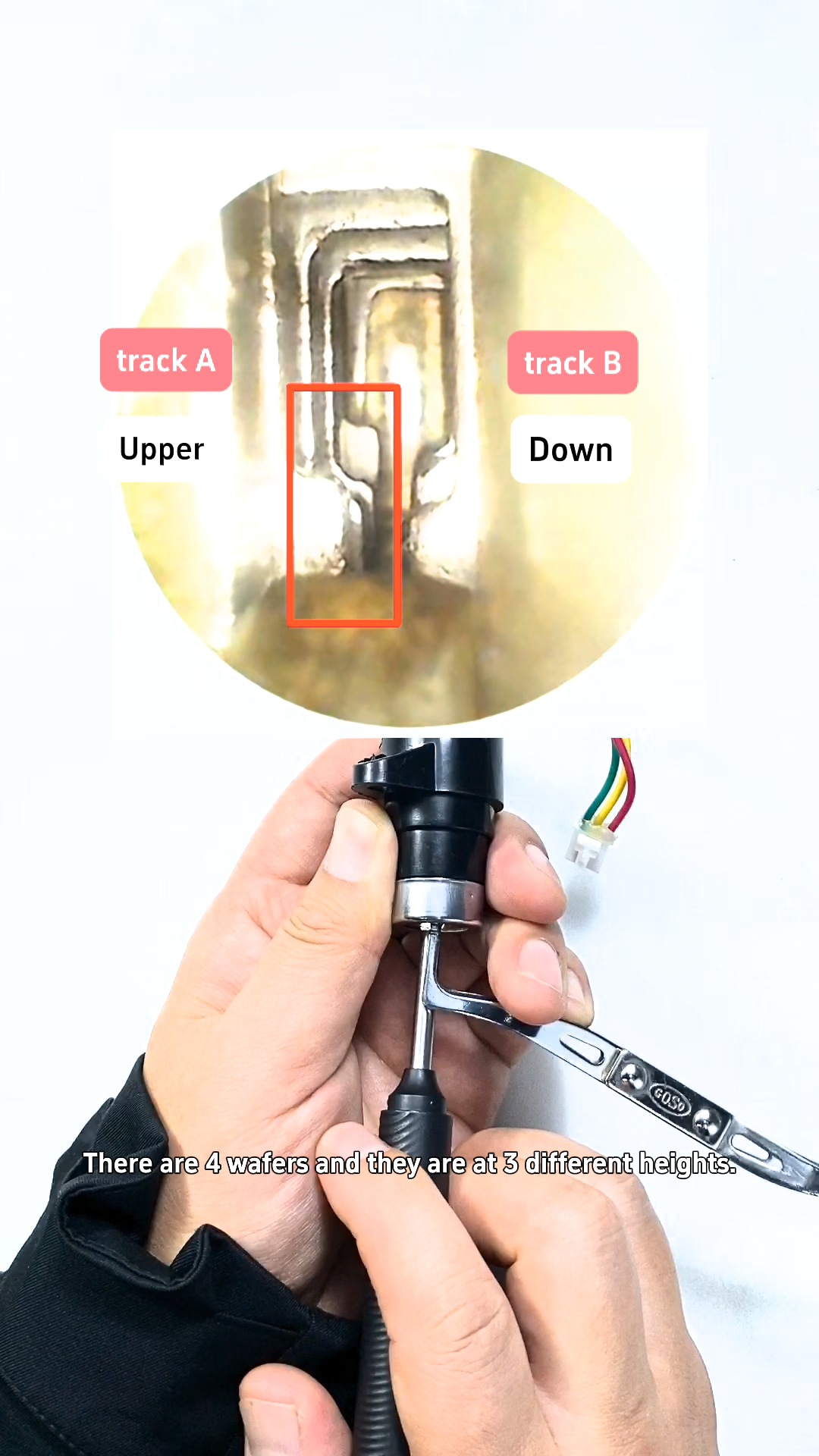
Yes—you can decode a two-track lock with an earpick decoder and cut a matching key directly on the 2026 2M2 Tank 2 Pro Shadow Warrior CNC key cutting machine using the TANK app’s “DIY key by measuring” function. In the reference demonstration, reading four wafer positions per track produces Track A: 2331 and Track B: 3222, which are entered into the app to mill the key blank.
For locksmiths handling locks without an existing key code in standard lookup, combining an earpick decoder with 2m2 tank shadow warrior lets you measure wafer heights manually and cut straight from decoded depths.
Why Use 2M2 Shadow Warrior for DIY Measured Key Cutting? (Key Highlights)
- Direct Measured Bitting Input: Use the 2M2 Shadow Warriorwith the TANK app’s DIY key by measuring mode when decoding two-track locks manually with an earpick tool.
- Clear Two-Track Workflow: Supports separate bitting entry for Track A (upper row / left-side wafers) and Track B (lower row / right-side wafers).
- On-Screen Clamp & Tool Guidance: Displays clamping orientation diagrams and tool specifications (such as Cutter: 2.0 mm and Probe: 1.0 mm in the demo) before starting the cut.
- 2026 CNC Cutting Platform: Built into the 2026 2M2 Tank 2 Pro Shadow Warrior CNC key cutting machineworkflow for controlled milling and post-cut inspection.
Tools & Parameters Required
- Machine: 2M2 Tank 2 Pro Shadow Warrior (TANK CNC key cutting machine)
- App & Function: TANK mobile application -> DIY key by measuring
- Decoding Tool: Earpick lock decoding tool
- Key & Fixture: Matching key blank for the lock profile + compatible machine clamp / fixture
- Demo Tooling & Bitting Reference: Cutter: 2.0 mm | Probe: 1.0 mm | Track A = 2-3-3-1 | Track B = 3-2-2-2
Video demo :
Step-by-Step Operation Guide
Phase 1: Decode Wafer Positions with Earpick Decoder
Step 1 – Identify Track A and Track B: Insert the earpick decoder into the lock and locate the two tracks. In the demonstration (4 wafer positions per track across 3 height levels: 1, 2, 3), the left-side wafers correspond to Track A (upper row) and the right-side wafers correspond to Track B (lower row).
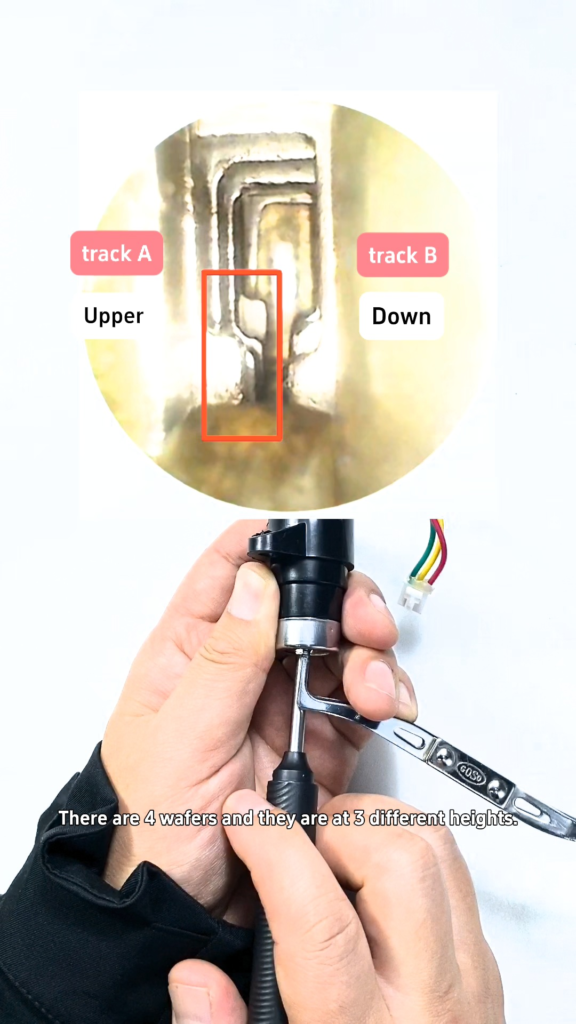
Step 2 – Read Track A Bitting (2331): Compare the four wafer positions on the left side using the 1–3 height scale shown in the video to record Track A: 2331.
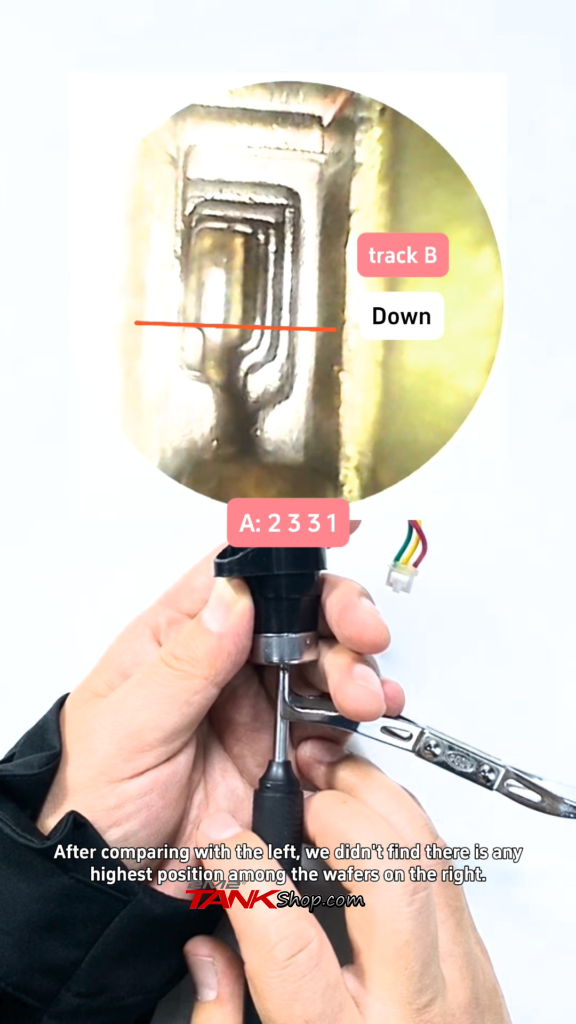
Step 3 – Read Track B Bitting (3222): Check the four right-side wafers using the same height numbering—three wafers at depth 2 and one at depth 3—to record Track B: 3222.
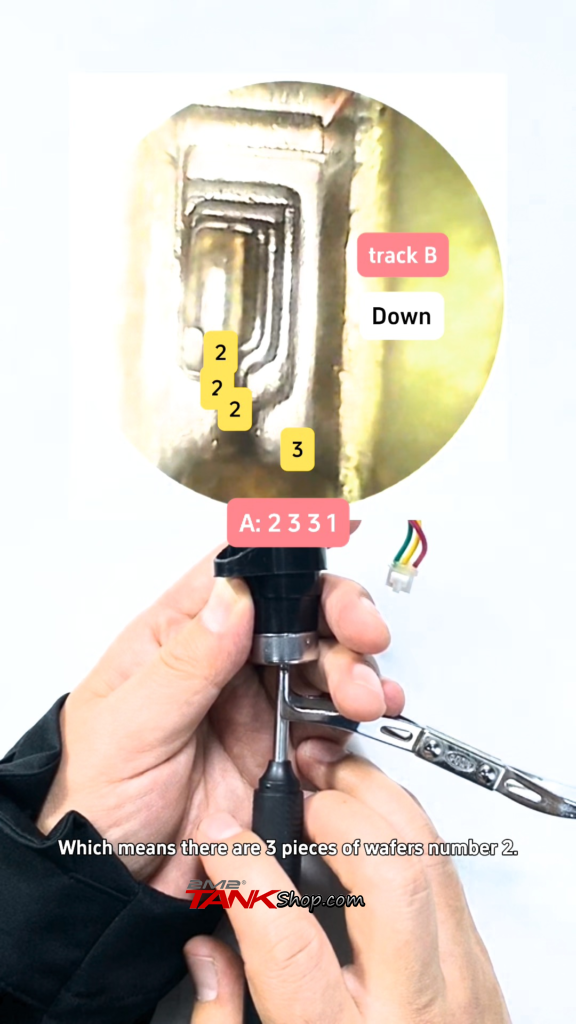
Phase 2: Enter Data & Cut Key on 2M2 Shadow Warrior
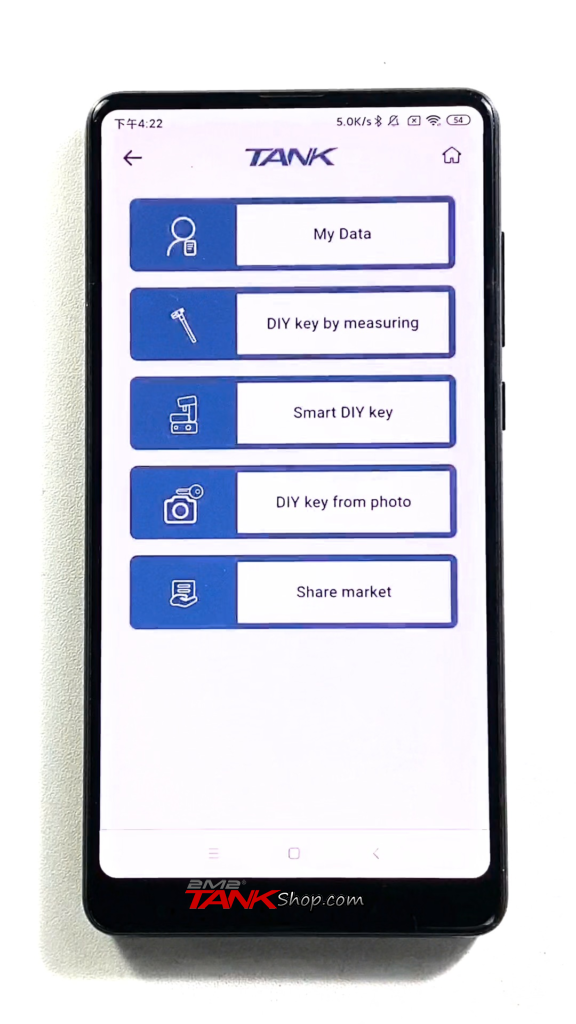
Step 4 – Open “DIY key by measuring”: Open the TANK mobile app and select DIY key by measuring from the DIY Key menu to build two-track bitting data from your decoded wafer readings.
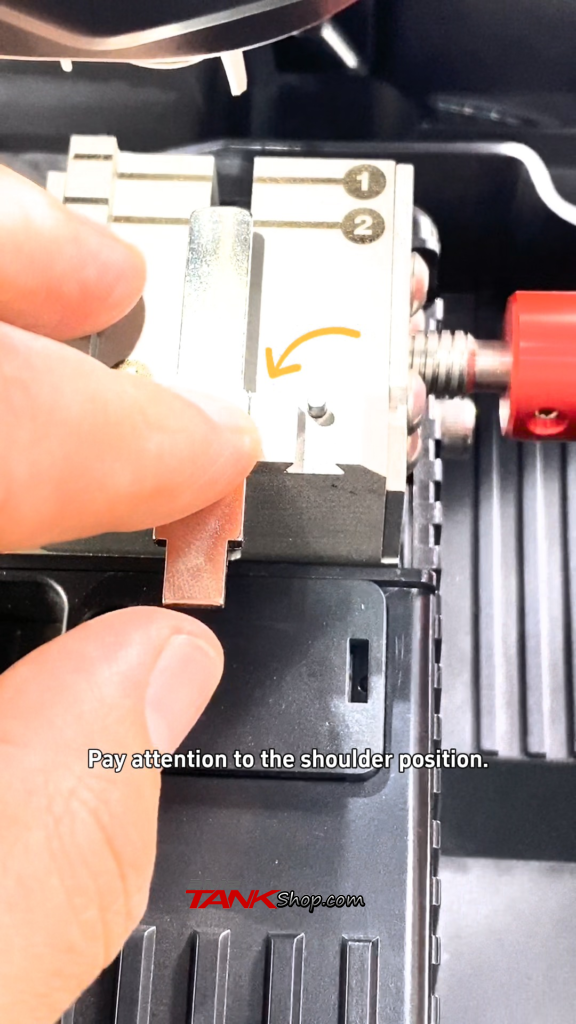
Step 5 – Install the Key Blank: Follow the on-screen clamp guide on your 2m2 tank shadow warrior to seat and secure the matching key blank, paying close attention to the shoulder position before proceeding.
Step 6 – Input Track A and Track B Depths: On the DIY key screen (shown with profile label “Tony’s bike” and depth controls in the demo), enter Track A: 2331 and Track B: 3222 in their respective rows, verifying track orientation matches the lock.
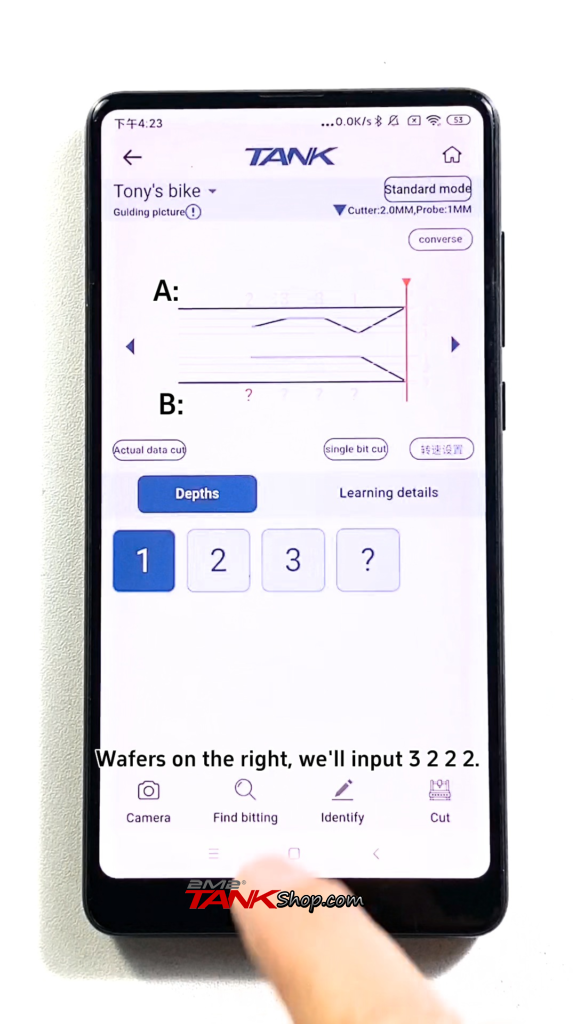
Step 7 – Confirm Cutting Settings: Verify Standard mode, Cutter: 2.0 mm, and Probe: 1.0 mm on screen. Note that the cutting prompt in the demo displays a default depth value of 0.88 mm—confirm the proper setup for your specific key blank and machine rather than treating 0.88 mm as a universal value.
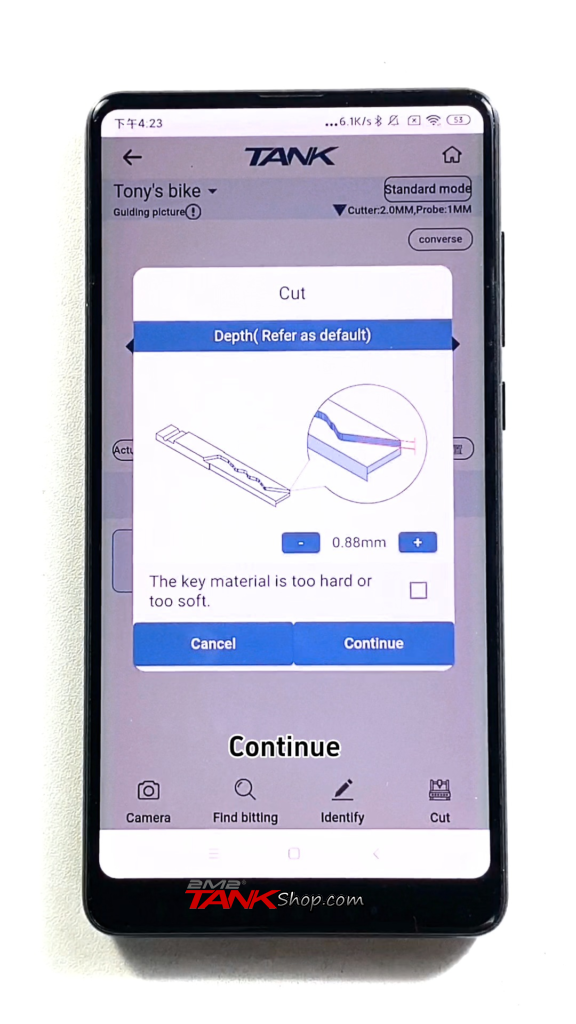
Step 8 – Run the CNC Cut: After verifying bitting entries, blank shoulder alignment, and tool settings, start the CNC cutting cycle on the 2M2 Shadow Warrior and wait until milling finishes completely before removing the key.
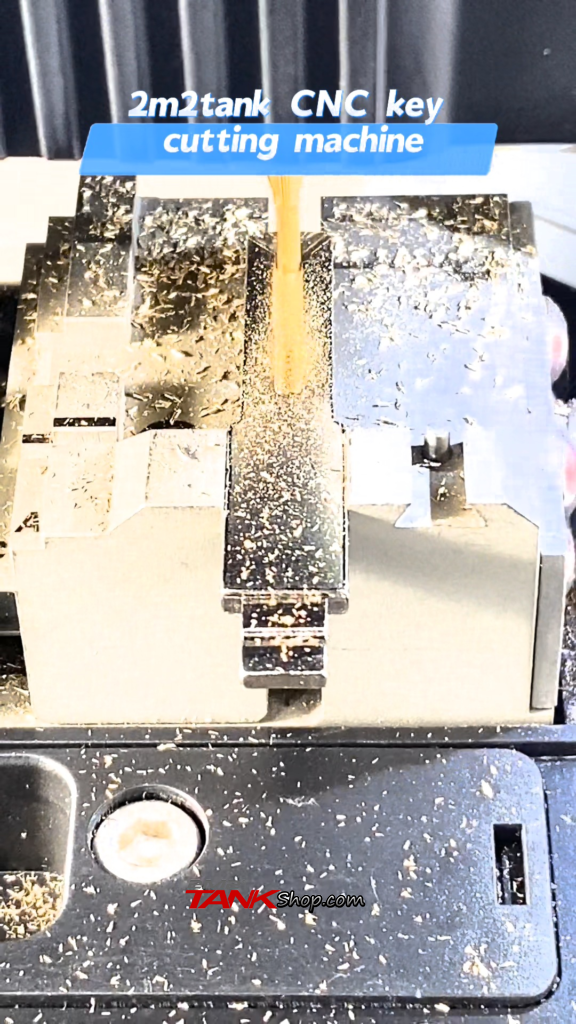
Step 9 – Inspect the Finished Key: Remove the cut key and visually check both milled tracks (Track A: 2331 and Track B: 3222) against your entered bittings before testing in the lock.
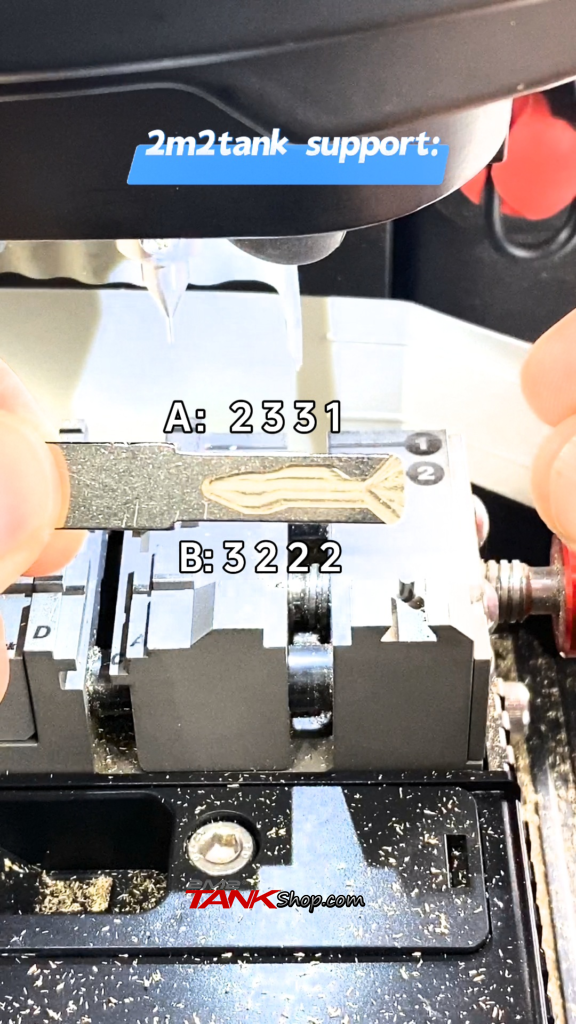
Decoded Bitting Reference Table
| Track | Key Row / Wafer Side | Demo Bitting |
| Track A | Upper row / left-side wafers | 2-3-3-1 |
| Track B | Lower row / right-side wafers | 3-2-2-2 |
Important Notes & Troubleshooting Tips
- Keep Track Orientation Consistent: Always match Track A / Track B orientation between the decoded lock and the app’s bitting screen.
- Depth Scale & Default Prompt Value: Depth numbers (1, 2, 3) follow the video’s reference scale, and the 0.88 mm depth shown in the demo prompt is specific to that demonstration—verify settings per key blank and machine.
- Check Tooling & Shoulder Alignment: Confirm your installed cutter (2.0 mm in demo) and probe (1.0 mm in demo), and double-check key blank shoulder seating in the clamp before cutting.
- Authorized Use Only: Only decode and cut keys for locks you own or are legally authorized to service.